.jpeg "Featured Image")



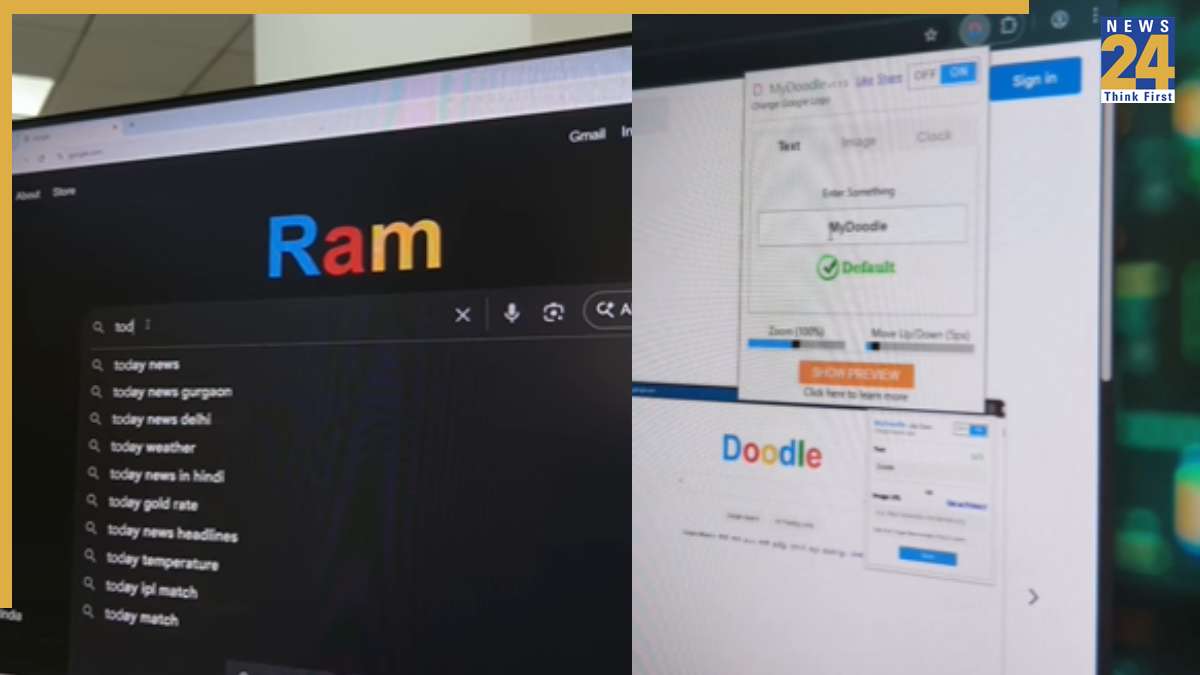
The ubiquitous Google logo is a familiar sight, but did you know you can replace it with your own personalized text or image? This simple Chrome trick allows you to modify the Google logo, making your browsing experience unique. This is a fun way to showcase a name, a doodle, or anything else that captures your interest, allowing you to surprise and impress others with your customized browser interface.
To implement this customization, begin by searching for “My Doodle” in the Google search bar. This will guide you to an extension that you can easily add to your Chrome browser. After installation, access the extension settings, input your desired text, and adjust the logo to your liking. Once the changes are applied, the Google logo will be replaced by the text you entered, with further options for customization to enhance its appearance. Remember, this is a Chrome-specific feature, and the extension will not function on alternative browsers.
For an even more personalized Chrome experience, explore the available Google themes. These themes enable you to tailor the color scheme and overall aesthetics of your Chrome profile. Users can select from a range of color palettes and modify settings to optimize the look and feel of their Chrome browser to best suit their individual preferences.